

Do monitor stands need to be anchored to the desk?
May 27, 2025
Do monitor stands need to be anchored to the desk? This is a question that many office workers, home users, and even business decision - makers often ponder when setting up their workstations. As a supplier of monitor stands, I have encountered this query numerous times, and I'm here to share in - depth insights on this topic.
The Basics of Monitor Stand Stability
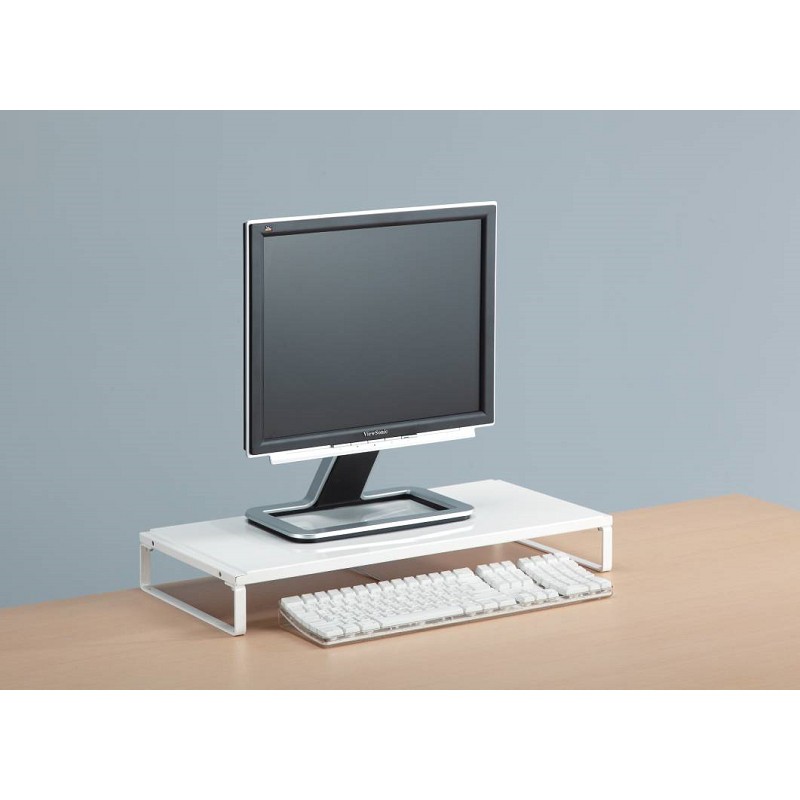
Before delving into whether anchoring is necessary, it's important to understand the factors that contribute to a monitor stand's stability. A well - designed monitor stand should be able to support the weight of the monitor without tipping over or wobbling. The materials used in the construction of the stand play a crucial role. For example, our Metal Monitor Stand is made of high - quality metal, which provides a solid and sturdy base. The weight distribution of the stand also matters. A stand with a wider base and a lower center of gravity is generally more stable.
Situations Where Anchoring is Recommended
High - Traffic Areas
In an office environment where there is a lot of movement, such as near walkways or in shared workspaces, anchoring the monitor stand can prevent accidental knocks and bumps from causing the monitor to fall. For instance, in a busy call center where employees are constantly moving in and out of their cubicles, an unanchored monitor stand might be easily dislodged. By anchoring the stand to the desk, you can significantly reduce the risk of damage to the monitor and potential injury to the users.
Adjustable Stands
Some monitor stands, like our Best Monitor Desk Stand, offer multiple adjustment options, such as height, tilt, and swivel. While these features provide great flexibility, they can also make the stand more prone to instability. When you adjust the position of the monitor frequently, the center of gravity of the stand - monitor combination changes. Anchoring the stand can help keep it firmly in place, ensuring that the adjustments are secure and the monitor remains stable.
Heavy Monitors
If you are using a large and heavy monitor, anchoring the stand becomes even more important. Larger monitors have more surface area and are more likely to catch air currents or be affected by minor vibrations. Our Monitor Glass Stand is designed to support a variety of monitor sizes, but for extremely heavy monitors, anchoring can add an extra layer of security. A heavy monitor falling off the stand can not only damage the monitor itself but also cause damage to the desk or other equipment below.
Situations Where Anchoring May Not Be Necessary
Low - Traffic, Static Environments
In a home office where there is little movement and the workstation is in a quiet corner, an unanchored monitor stand may be sufficient. For example, if you are a writer who spends most of the day sitting at a desk in a private room, the chances of accidentally knocking the monitor are relatively low. As long as the stand has a stable base and is properly set up, it can support the monitor without the need for anchoring.
Lightweight Monitors
Smaller, lightweight monitors are less likely to cause problems if the stand is not anchored. These monitors have less mass and are less affected by external forces. If you are using a compact monitor for basic tasks like checking emails or browsing the web, an unanchored stand can work well.
Benefits of Anchoring
Safety
The most obvious benefit of anchoring a monitor stand is safety. By preventing the monitor from falling, you can avoid potential injuries to users. A falling monitor can cause cuts, bruises, or even more serious head or eye injuries. In a work environment, this can also reduce the risk of workplace accidents and associated insurance claims.
Long - Term Durability
Anchoring the monitor stand can also extend the lifespan of both the stand and the monitor. When a stand is properly anchored, it experiences less stress and movement, which means less wear and tear on its components. Similarly, the monitor is less likely to be damaged from falls or sudden impacts, resulting in a longer - lasting investment.
Improved Ergonomics
When a monitor stand is anchored, it allows for more precise and stable adjustments. You can set the monitor at the optimal height, tilt, and angle for your comfort and reduce the risk of neck, back, and eye strain. This is especially important for users who spend long hours in front of the monitor.
Drawbacks of Anchoring
Limited Mobility
One of the main drawbacks of anchoring a monitor stand is that it limits the mobility of the monitor. If you need to move the monitor frequently, for example, to share it with colleagues or to re - arrange your workspace, an anchored stand can be a hassle. You may need to spend time un - anchoring and re - anchoring the stand each time you want to make a change.
Damage to the Desk
Anchoring the stand usually involves drilling holes or using adhesive on the desk surface. This can cause damage to the desk, especially if you later decide to remove the stand. In some cases, it may also void the warranty of the desk.
Making the Decision
When deciding whether to anchor a monitor stand, you need to consider your specific needs and circumstances. Evaluate the environment where the monitor will be used, the size and weight of the monitor, and how often you need to move the monitor. If safety and stability are your top priorities, especially in high - traffic or dynamic environments, anchoring is a good option. However, if you value mobility and want to avoid damaging your desk, an unanchored stand may be more suitable.
As a monitor stand supplier, we offer a wide range of stands to meet different requirements. Our stands are designed with stability in mind, whether you choose to anchor them or not. If you have any questions about which stand is right for you or need advice on anchoring, please feel free to contact us. We are always ready to assist you in making the best decision for your workspace. Whether you are setting up a new office, upgrading your home workstation, or simply looking for a better way to support your monitor, we can provide the solutions you need. Contact us today to start a procurement discussion and find the perfect monitor stand for your needs.

References
- Ergonomics in the Workplace: A Guide to Healthy Workstations. Occupational Safety and Health Administration.
- The Impact of Monitor Placement on User Comfort and Productivity. Journal of Human - Computer Interaction.