

Can monitor stands be used in a home theater setup?
Jan 21, 2026
Hey there! As a monitor stands supplier, I've been getting a bunch of questions lately about whether monitor stands can be used in a home theater setup. Well, the short answer is yes, and in this blog, I'm gonna dive deep into why and how you can make it work.
First off, let's talk about why you'd even want to use a monitor stand in your home theater. One of the biggest advantages is the ability to adjust the height and angle of your monitor. In a home theater, you want to have the perfect viewing position to avoid neck strain and get the best visual experience. A monitor stand allows you to do just that. You can raise or lower the monitor to eye level and tilt it up or down to find the sweet spot.
Another benefit is the space-saving aspect. If you're using a large monitor in your home theater, it can take up a lot of desk or table space. A monitor stand elevates the monitor, freeing up the space below for other things like a soundbar, gaming console, or even just some extra room to stretch your legs.
Now, let's look at the different types of monitor stands that are suitable for a home theater setup.
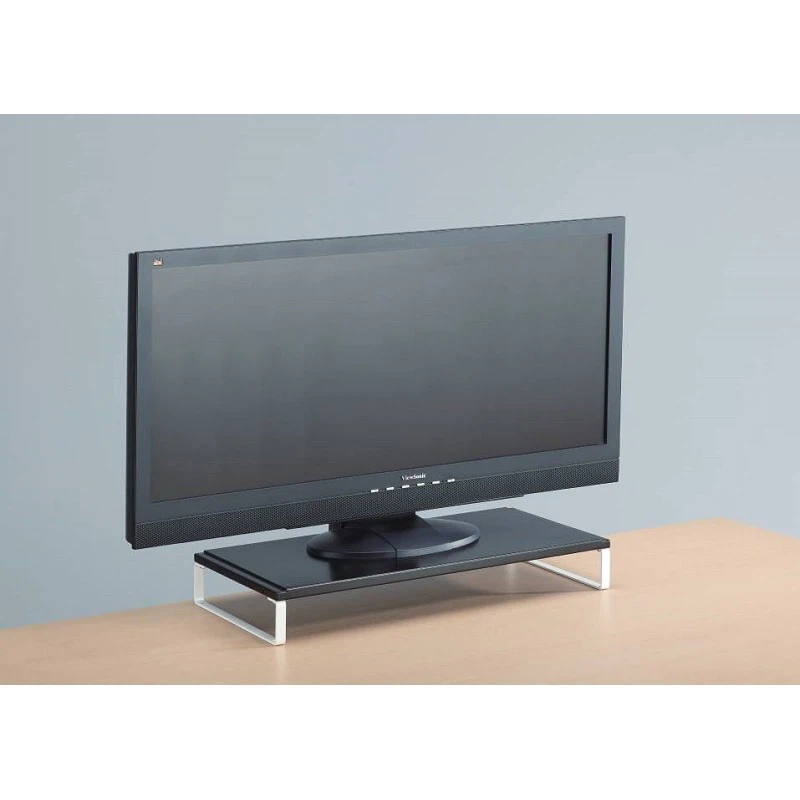
High Quality Monitor Stand
A High Quality Monitor Stand is a great choice for a home theater. These stands are typically made from durable materials like steel or aluminum, which can support the weight of a large monitor. They often come with features like height adjustment, tilt adjustment, and swivel capabilities. This means you can customize the position of your monitor to suit your viewing preferences.
For example, if you're watching a movie from a reclined position on your couch, you can tilt the monitor down slightly to get a better view. Or, if you're using your home theater for gaming, you can swivel the monitor to the side to see different angles.
Metal Monitor Stand
A Metal Monitor Stand is another excellent option. Metal stands are known for their strength and stability. They can hold up well against the vibrations that can occur when you have a powerful sound system in your home theater. Plus, they usually have a sleek and modern look that can complement the overall aesthetic of your home theater.
Some metal monitor stands also come with cable management features, which is a big plus in a home theater. With all the cables from your monitor, sound system, and other devices, it can get pretty messy. A stand with cable management helps keep everything organized and out of sight.
Best Monitor Desk Stand
The Best Monitor Desk Stand is designed to be used on a desk, but it can also work well in a home theater if you have a desk or table in the room. These stands often have a more compact design, which can be ideal if you're short on space. They still offer height and angle adjustment, so you can get the perfect viewing position.
When choosing a monitor stand for your home theater, there are a few things to keep in mind.
Compatibility
Make sure the monitor stand is compatible with the size and weight of your monitor. Most monitor stands will have a weight limit and a range of monitor sizes they can support. Check the specifications of the stand before you buy to ensure it will work with your monitor.
Adjustability
As I mentioned earlier, adjustability is key in a home theater. Look for a stand that offers multiple adjustment options, such as height, tilt, and swivel. This will allow you to customize the position of your monitor for different viewing scenarios.
Stability
Since you'll be sitting in one place for an extended period of time watching movies or playing games, you want a monitor stand that is stable. A wobbly stand can be really annoying and can even affect your viewing experience. Look for a stand with a wide base and a sturdy construction.
Aesthetics
Your home theater is a place where you want to relax and enjoy yourself, so the aesthetics of the monitor stand matter. Choose a stand that has a look that fits in with the overall style of your home theater. Whether you prefer a modern, minimalist look or something more traditional, there are plenty of options available.
Now, let's talk about how to set up your monitor stand in your home theater.
Choose the Right Location
First, find the right location for your monitor stand. You want to place it in a spot where you have a clear view of the monitor and where it won't be blocked by anything. Consider the seating arrangement in your home theater and make sure the monitor is at the right height and angle for the best viewing experience.
Assemble the Stand
Once you've chosen the location, it's time to assemble the monitor stand. Most monitor stands come with detailed instructions, so follow them carefully. Make sure all the parts are securely attached and that the stand is stable before you attach your monitor.
Attach the Monitor
After the stand is assembled, it's time to attach your monitor. This usually involves using a VESA mount, which is a standard mounting system for monitors. Make sure the VESA mount on your monitor is compatible with the stand. Once you've attached the monitor, double-check that it is securely in place and that you can adjust the height and angle as needed.
Manage the Cables
As I mentioned earlier, cable management is important in a home theater. Use cable ties or cable clips to keep the cables organized and out of sight. This will not only make your home theater look neater but also reduce the risk of tripping over the cables.
In conclusion, monitor stands can definitely be used in a home theater setup. They offer a number of benefits, including adjustability, space-saving, and improved viewing experience. Whether you choose a high-quality monitor stand, a metal monitor stand, or the best monitor desk stand, make sure it meets your needs and fits in with the overall style of your home theater.
If you're interested in purchasing a monitor stand for your home theater, I'd love to have a chat with you. We have a wide range of monitor stands to choose from, and our team can help you find the perfect one for your setup. Just reach out, and let's start the conversation!

References
- General knowledge about monitor stands and home theater setups.