

Can I use a monitor stand with a laptop?
Oct 15, 2025
Using a monitor stand with a laptop is a question that many individuals in the modern workspace often ponder. As a supplier of monitor stands, I'm here to delve into this topic and provide you with a comprehensive analysis.
Benefits of Using a Monitor Stand with a Laptop
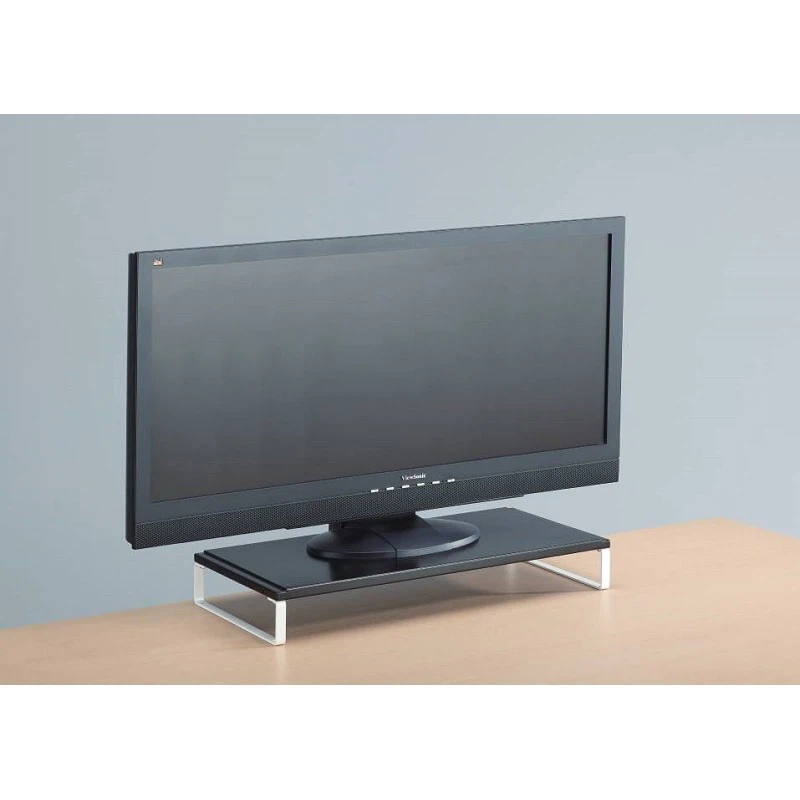
One of the primary advantages of using a monitor stand with a laptop is the improvement of ergonomics. When you use a laptop on a flat surface, the screen is usually at a lower level, which forces you to look down and can lead to neck and back pain over time. A monitor stand elevates the laptop screen to eye level, allowing you to maintain a more natural and comfortable posture. This reduces the strain on your neck, shoulders, and back, which is especially important for those who spend long hours working on their laptops.
In addition to ergonomic benefits, a monitor stand can also enhance your workspace organization. By raising the laptop off the desk, you create additional space underneath it. This space can be used to store other items such as notebooks, pens, or even a small keyboard. It helps to keep your desk tidy and clutter - free, which can improve your productivity and focus.
Another benefit is the potential for better ventilation. Laptops generate a significant amount of heat, and when they are placed flat on a surface, the heat can get trapped. A monitor stand allows air to circulate more freely around the laptop, which helps to dissipate heat more effectively. This can prevent the laptop from overheating, which can improve its performance and extend its lifespan.
Types of Monitor Stands Suitable for Laptops
There are various types of monitor stands available in the market, and each has its own features and advantages.
High Quality Monitor Stand
A High Quality Monitor Stand is often made from durable materials that can support the weight of the laptop securely. These stands usually come with adjustable features, such as height and angle adjustment. This allows you to customize the position of the laptop screen according to your needs and preferences. For example, you can adjust the height to ensure that the screen is at eye level, and the angle to reduce glare.
Monitor Glass Stand
A Monitor Glass Stand offers a sleek and modern look. Glass stands are not only aesthetically pleasing but also provide a stable base for the laptop. They are easy to clean and maintain. However, it's important to choose a glass stand that is thick and strong enough to support the laptop without cracking or breaking.
Metal Monitor Stand
A Metal Monitor Stand is known for its strength and durability. Metal stands can withstand heavy use and are less likely to get damaged compared to other materials. They often have a minimalist design, which can fit well into any workspace. Some metal stands also come with cable management features, which help to keep the cables organized and out of the way.
Considerations When Using a Monitor Stand with a Laptop
Before you decide to use a monitor stand with your laptop, there are a few things you need to consider.
Compatibility
Make sure that the monitor stand is compatible with your laptop. Check the size and weight capacity of the stand. Most laptop monitor stands are designed to fit standard - sized laptops, but it's still important to double - check. If the stand is too small or cannot support the weight of your laptop, it may not be stable and could pose a risk of the laptop falling.
Portability
If you need to move your laptop around frequently, consider the portability of the monitor stand. Some stands are lightweight and easy to carry, while others are more bulky and may not be suitable for on - the - go use.
Functionality
Think about the features you need. Do you need a stand with adjustable height and angle? Do you want a stand with cable management? Consider your specific requirements and choose a stand that meets them.
How to Set Up a Monitor Stand with a Laptop
Setting up a monitor stand with a laptop is relatively easy. First, choose a suitable location on your desk. Make sure the surface is flat and stable. Then, place the monitor stand on the desk and adjust it to the desired height and angle. Next, carefully place your laptop on the stand. Ensure that the laptop is centered and balanced on the stand to prevent it from tipping over.
If your monitor stand has cable management features, use them to organize the cables. This will not only make your workspace look neater but also prevent the cables from getting tangled.

Conclusion
In conclusion, using a monitor stand with a laptop is a great idea. It offers numerous benefits, including improved ergonomics, better workspace organization, and enhanced ventilation. With the variety of monitor stands available in the market, you can easily find one that suits your needs and preferences.
If you are interested in purchasing a monitor stand for your laptop, we are here to help. We are a reliable supplier of high - quality monitor stands. Our products are designed to meet the diverse needs of our customers. Whether you need a stand for home use, office use, or on - the - go use, we have the right solution for you.
Contact us today to discuss your requirements and start the procurement process. We look forward to serving you and helping you create a more comfortable and productive workspace.
References
- Ergonomics in the Workplace: Best Practices for Laptop Use. Occupational Safety and Health Administration.
- The Impact of Heat on Laptop Performance. Journal of Computer Science and Technology.
- Choosing the Right Monitor Stand for Your Laptop. Tech Review Magazine.